A better time
to say hello.
Their city. Their time. Right beside their name.
Live local timesAM
Alex MorganNew York
EL
Emma LewisBerlin
MC
Maya ChenSingapore
Sample people. Real times.
Your contacts, their local times, and the little details that matter.
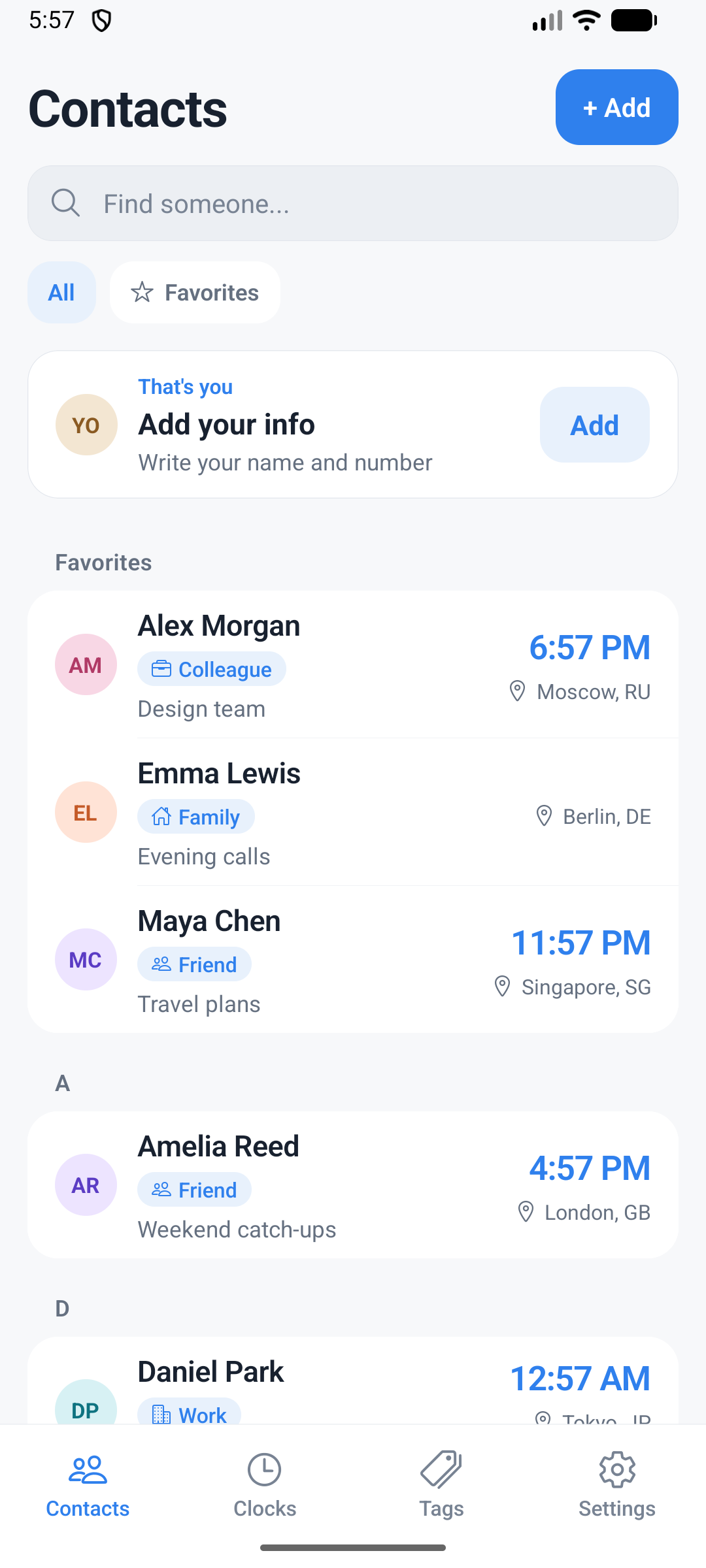
People first. Time zones, sorted.
Local time Your circles On your deviceA closer look
Their city. Their time. Right beside their name.
Live local timesSample people. Real times.
A tag for every part of your life.
Pick a circle.
Notes and favorites, right where you need them.
Evening calls are best.
Ask about the new apartment.
Three little steps
Your phone contacts, or start fresh.
Their local time appears alongside them.
Add a note. Find a moment. Say hello.
Private by design
Your contacts stay on your device.
Our privacy policy
A better time to say hello
No signup. No ads. Your contacts stay yours.
No. You choose a city for each contact. ContactClock uses that city’s time zone to show their local time, without tracking their location.
No ContactClock account is required. Contacts, notes, city search, and world clocks work offline. Calls, messages, email, and sharing open the other apps on your phone and may need a connection.
Yes. Allow contacts access to use your phone’s address book. On iPhone, limited access shows only the contacts you select. Changes to phone contacts may sync through accounts enabled on your device.
Use tags and favorites to organize your people, review duplicate entries, and import or export vCard files. Share a contact through your device’s share sheet or as a QR code. You choose who receives it.